(888)898-3151
Marketing Agency for Service Businesses in Colorado Springs, CO
Your Competitors Are Getting Jobs That Should Have Been Yours
For Colorado Springs roofers, HVAC companies, plumbers, painters, landscapers, lawyers, accountants & contractors who are tired of working hard and watching leads go to someone else.
You didn't get into roofing or plumbing to become a marketing expert — you just want a calendar full of jobs and enough cash flow to cover payroll without losing sleep over it. You know you need to market yourself, but every agency pitch sounds like a foreign language, and you've heard enough horror stories about contractors getting taken by a "marketing guy" who took the money and vanished. Maybe you're invisible on Google, missing calls after hours, short on reviews, or stuck with a website that doesn't convert — we fix that. We know real results take time to build, and we price it so a small, local operation can actually afford to do it right — no scare tactics, no overpromising overnight rankings. Whether a hail storm rolls in over Briargate or the first snow backs up traffic from Woodmen down through downtown, we know Colorado weather drives your business too, and we make sure you're the name people find first when it does. Think of us less like a vendor you hire and more like a partner working alongside you for a fraction of what an in-house marketing hire would cost — when you grow, we grow, and that's exactly how we want it.
Does Any of This Sound Familiar?
You’re good at your job. Your customers love you. But the business side keeps leaking money in ways you can’t always see.
You finished a job at 6pm, missed 4 calls, and by the time you called back — they’d already booked someone else.
You’re on a roof, under a sink, or in a client meeting. You can’t stop to answer every call — but every unanswered call is a lead walking away.
You’ve spent money on Google or Facebook Ads and got clicks, but the phone didn’t ring enough to justify it. You don’t know where the disconnect is.
Your competitor has fewer reviews than you, but somehow they show up first on Google Maps. You feel invisible.
You have a website but it doesn’t really generate leads. It’s more like a digital business card nobody looks at.
You have a list of old customers and past leads sitting in your phone that nobody’s followed up with. That’s money going to waste.
You’ve had dozens of happy customers but only a handful of Google reviews. You know you should ask, but you never get around to it.
If you nodded at even one of those — you’re in the right place. This is exactly what we fix.
“From wasted ad spend to $50,000–$70,000 siding jobs with targeted local marketing.”
— Mark T., Siding & Exterior Remodeling Company Owner
Here’s the Real Reason You’re Losing Leads
78%
of customers hire whoever responds first — not the best, not the cheapest, just the first.
When a roofer’s phone goes to voicemail, when a plumber’s website has no click-to-call, when an HVAC company has 11 Google reviews and their competitor has 200 — customers move on in seconds. They don’t wait. They don’t leave a message. They call the next name on the list.
At the same time, Google, ChatGPT, Siri, and Alexa are increasingly the first place people go to find a service business. If your business isn’t set up to show up there — and to capture every person who does find you — you’re handing jobs to competitors every single day.
This isn’t a “work harder” problem. It’s a systems problem. And it’s exactly what Sizzlin’ Fried Ads was built to solve.
What We Build For You
Sizzlin’ Fried Ads is a marketing and AI automation agency built exclusively for service businesses. We don’t work with e-commerce brands, tech startups, or restaurants. Every system we build is designed for the owner who answers their own phone, runs a crew, and needs leads to show up consistently.
We combine AI technology, local search optimization, and smart automation to keep your pipeline full while you focus on delivering great work. Based in Colorado Springs, CO — serving service businesses across the U.S. and Canada.
We Started With Ads. We Stayed Because of Everything Else.
The name "Sizzlin' Fried Ads" has a story behind it — a fried egg in a banner ad that outperformed everything else on the campaign. That win taught me something: the right message, in the right place, at the right moment changes everything.
But after a decade of working with service businesses, I kept seeing the same gap. Ads generated clicks. Then calls went unanswered. Websites didn't convert. Happy customers never left a review. Old leads sat in a phone with no follow-up.
The ad was fine. The system around it was broken.
We built the fix.
Sizzlin' Fried Ads now builds the complete lead generation system for service businesses: AI that answers every call, local SEO that makes you findable, websites that convert, reviews that build trust, and paid ads when you're ready to scale. Every piece connects. Nothing leaks.
You won't outwork your competitors. You'll outsystem them.
The Complete System That Fills Your Schedule
Most service businesses need more than one fix — they need a connected system where every part works together. Here’s everything we offer, built around your specific situation.
CORE SYSTEM
AI Receptionist — Answer Every Call, Book Every Lead
The problem it solves: Missed calls that turn into someone else’s booked job.
Our 24/7 AI voice agent answers your calls instantly, follows your custom script, qualifies the caller, and books them directly into your calendar — even at 2am, on weekends, and while you’re on a job site. It works with your existing phone number. After every call, you get a full summary.
Answers in under 2 seconds, 24 hours a day, 7 days a week
Trained on your script, your services, your tone — sounds like your team
Qualifies callers and books directly into your calendar
Integrates with VoIP, landlines, and your existing number
Sends call summary, transcript, and disposition after every call
New contacts automatically created in your CRM
How an AI receptionist helps reduce missed calls? Use Our AI ROI Calculator
Local SEO + AEO (AI Search Optimization) — Show Up First, Everywhere
The problem it solves: Being invisible on Google Maps, Google Search, and AI search engines while your competitors get the calls.
We optimize your online presence so your business ranks at the top of Google, Google Maps, and AI-powered search engines like ChatGPT, Perplexity, and voice assistants when someone in your area searches for what you do. This combines traditional Local SEO with AEO — Answer Engine Optimization — so you’re found whether someone types, taps, or talks.
Local SEO to rank in Google’s Map Pack for your city and trade
AEO so AI tools like ChatGPT and Perplexity recommend your business
Voice search optimization for Siri, Alexa, and Google Assistant
Schema markup: FAQPage, Service, HowTo,
LocalBusiness structured data
Question-first content that earns featured answers and AI citations
Smart Websites — A Website That Actually Generates Leads
The problem it solves: A website that looks fine but never rings your phone.
Most service business websites are digital brochures. Ours are lead-generation machines. We build high-converting websites and sales funnels with fast mobile loading, clear service explanations, click-to-call integration, lead capture, AI chatbot, CRM sync, review triggers, and full analytics — all optimized for both humans and search engines from day one.
A Mobile-first design built to convert visitors into calls and bookings
Integrated AI chatbot and AI receptionist — no lead left unattended
Landing pages, lead capture, thank-you pages, email/SMS nurture sequences
CRM and calendar sync, conversion tracking, and A/B testing
SEO and AEO structure baked in from the ground up
FULL TOOLKIT — EVERYTHING ELSE WE OFFER
Review Flywheel — Build a 5-Star Reputation on Autopilot
The problem it solves: Dozens of happy customers, barely any Google reviews, leads do not trust you — and competitors with more reviews outranking you.
Our Review Flywheel automatically sends review requests to every customer after a completed job — by text or email. AI writes personalized responses to every review. You’re alerted immediately if a negative review comes in. The result: a growing stream of 5-star reviews that improves your Google Maps ranking, builds trust with new customers, and generates free inbound leads.
Automated review requests sent after every job via text or email
AI-personalized responses to every Google review on your behalf
Immediate alert when a negative review is posted
Boosts local SEO, Google Maps ranking, and conversion rate
100% hands-off — runs automatically in the background
Google Business Profile Optimization — Own Your Google Presence
The problem it solves: An incomplete or unoptimized GBP that costs you local pack rankings and customer trust.
Your Google Business Profile is often the first thing a customer sees before they ever visit your website. We fully optimize your GBP — categories, services, photos, business description, Q&A, posts, and NAP consistency — so it sends the right signals to Google and converts profile visitors into calls. Also increases chances to be recommended by AI searches and Voice searches.
Full GBP audit and optimization for maximum local pack visibility
Correct categories, service listings, and keyword-rich descriptions
NAP consistency across the web (name, address, phone)
Photo strategy and GBP posts
Ongoing monitoring for ranking shifts and profile health
Best if combined with Review Flywheel
Old Customer Reactivation — Turn Your Existing List Into Revenue
The problem it solves: A database full of past customers and cold leads that nobody’s ever followed up with. Even 1-2 % of them converts - you get a significant revenue.
Most service businesses are sitting on hundreds of past customers and old leads who already know and trust them — and have never been re-contacted. Our reactivation campaigns send targeted SMS, email, and voicemail outreach to reconnect with those contacts and convert them into booked jobs, without spending a dollar on ads.
Personalized text, email, and voicemail outreach to past customers
Re-engages cold leads who inquired but never converted
Automated follow-up sequences — fully hands-off
Often generates significant revenue in the first 30 days
No new ad spend required
Not every service business needs ads — and we’ll tell you honestly if you don’t. But when you’re ready to scale, here’s what we offer.
Facebook™, Instagram™ & Google™ Ads — When You’re Ready to Scale
With over 10 years of experience and $50M+ in ad spend managed, we run done-for-you Facebook, Instagram, and Google Ads campaigns — including creative, copy, audience research, targeting, pixel setup, and weekly reporting. We scale what works and cut what doesn’t. No guesswork, no wasted spend.
Facebook and Instagram Ads: demand generation, retargeting, audience building
Google Ads: high-intent search capture for people actively looking for your service
Full creative, copy, targeting, and optimization — completely done for you
Transparent weekly reporting — you always know what your money is doing
No lock-in — we scale what works, cut what doesn’t
Not sure which services you need? Book a free strategy call and Julia will walk you through exactly what your business is missing.
Real Results From Real Service Business Owners

"What I appreciate most about Julia is how practical and straightforward her approach to marketing is. She doesn’t overcomplicate things or push trendy tactics just to sound impressive. Instead, she focuses on what actually helps businesses grow, like clear messaging, smart ad strategy, SEO fundamentals, and systems that make follow-up easier. Julia really takes the time to understand the business she’s working with and where things may be breaking down, whether that’s ads not converting, traffic not turning into leads, or systems not being connected properly. She’s thoughtful, responsive, and clearly cares about getting results, not just delivering “marketing activity.” If you’re a business owner who’s felt overwhelmed by marketing or burned by agencies that overpromise, Julia is someone worth talking to. She brings clarity, strategy, and a very grounded approach to helping businesses move forward."
- Sedrick Harris, Sirius Solutions
“Highly recommend working with Sizzlin’ Fried Ads to any small business owner who wants to grow their business, get more leads, and improve their online presence.” – Michelle V., Travel Designer at Castle and Crown Travel Boutique
Julia has been wonderful to work with and she is a true gem! She has brought so much value to my marketing strategy, business growth, and website design, and is an asset without doubt. I value her opinions, digital marketing expertise, and knowledge of SEO, ads, and automation more than I could ever say, and I cannot sing her praises enough.
Working with her is easy as she is a wonderful communicator, provides thorough feedback, and delivers amazing results. She is a pro in website design, review optimization, and lead generation, and her skill set seems endless. I would highly recommend Sizzlin’ Fried Ads and Julia to any service-based business that wants to grow and succeed.

“From $2,000 to $15,000 in daily revenue with Facebook and Google ads!” — Jessica M., Retail Brand Owner
I've worked with a few marketing agencies, but none have come close to Sizzlin’ Fried Ads. Julia, with her decade of ad tech and programmatic advertising experience, took the time to understand our retail brand, audience, and goals, and the results speak for themselves. We went from $2,000 a day in online sales to $15,000 — in just one month with targeted ad campaigns and conversion optimization!
The Sizzlin’ Fried Ads team is professional, responsive, and always willing to go the extra mile. If you’re looking for a results-driven digital marketing agency that specializes in paid ads, lead generation, and ROI-focused growth, I highly recommend them.
“From wasted ad spend to $50,000+ siding jobs with targeted local marketing!” — Mark T., Owner of a siding company
I’ve been in the siding and exterior remodeling business for over a decade, and I’ve tried all kinds of advertising — Google Ads, Facebook Ads, mailers, and even local directories. Most of it didn’t work, or it was run by people who didn’t really understand contracting or lead generation for home service businesses. Then I found Sizzlin’ Fried Ads.
Right away, I could tell they were different — honest, upfront, and actually invested their time and skills in helping me grow my contracting business. They didn’t just throw up some ads and call it a day. They built a complete marketing strategy with geo-targeted campaigns and ad funnels around the kind of siding jobs I wanted — and within the first month, I started getting high-quality local leads in my area.
The best part? I’ve closed multiple siding and exterior projects worth $50,000 to $70,000 from campaigns that only cost me a few hundred bucks in lead generation. That kind of ROI speaks for itself.
If you’re a contractor, roofer, or home service business owner who’s tired of gambling on marketing that doesn’t pay off, this is the agency you want. Sizzlin’ Fried Ads delivers — and they do it with honesty, clarity, and real results you can measure.
Built For Service Business Owners Like You
We work exclusively with local service businesses — the owners and operators who do the actual work and need their phones ringing consistently. If you’re in any of these industries, we already know your pain points and have systems built for your trade:
Roofers & Roofing Contractors
HVAC Companies
Plumbers & Plumbing Services
Painters (Interior & Exterior)
Landscapers & Lawn Care Companies
General Contractors & Home Remodelers
Electricians
Lawyers & Law Firms
Accountants & CPAs
Dentists & Dental Offices
Masons & Siding Contractors
Home Service Businesses of All Kinds
Chiropractors
Local to Colorado Springs or anywhere in the U.S. or Canada — we build systems that fit the way you work and the market you operate in.
Questions Service Business Owners Ask Us
Straight answers to the things we hear most. If yours isn’t here, book a free call.
Got more questions? Visit our Frequently Asked Questions
What happens when I miss a call from a potential customer?
When you miss a call, that customer almost always moves on to the next business on the list. Research shows 78% of customers hire whoever responds first — not the best, not the cheapest, just the first. After 5 minutes, the chance of converting a new lead drops by over 80%. An AI receptionist answers every call in under 2 seconds, qualifies the caller, and books them directly into your calendar — so you never lose a job to a missed call again, even at 2am or on a Saturday.
How do I get my business to show up when someone searches near me?
To appear in local Google searches and on Google Maps, your business needs: a fully optimized Google Business Profile (GBP), consistent name, address, and phone data across the web, location-specific content on your website, a steady stream of genuine customer reviews, and schema markup that tells Google exactly what you do and where you serve. Sizzlin’ Fried Ads handles all of this, combining Local SEO, GBP Optimization, and AEO so you show up everywhere your customers are looking — whether they’re typing, tapping, or asking a voice assistant.
What is an AI receptionist and how does it work for a service business?
An AI receptionist is a 24/7 voice agent that answers your business phone calls automatically, follows a custom script you approve, qualifies callers, answers common questions, and books appointments directly into your calendar — without any staff involvement. It connects to your existing phone number through call forwarding. After every call, you receive a full summary with transcript and disposition. For roofers, HVAC companies, plumbers, lawyers, and other service businesses, it means no missed calls, no lost leads, and no after-hours coverage gaps.
What is AEO (Answer Engine Optimization) and why does my business need it?
AEO, or Answer Engine Optimization, is the practice of structuring your website content so AI-powered search engines — like Google’s AI Overviews, ChatGPT, Perplexity, and voice assistants — can find, understand, and cite your business as the answer to a customer’s question. Traditional SEO gets you ranked on a results page. AEO gets your business spoken aloud as the answer, or featured at the top of an AI-generated response. For local service businesses, this means being the name ChatGPT or Google recommends when someone asks who is the best roofer near me.
Can AI help my business show up in voice searches on Siri, Alexa, and Google Assistant?
Yes. Voice search optimization is a core part of our AEO service. We structure your website content so voice assistants like Siri, Alexa, Google Assistant, and AI tools like ChatGPT and Perplexity understand and recommend your business. This involves writing clear question-and-answer content in natural spoken language, adding structured data schema markup, ensuring your Google Business Profile is complete and accurate, and making sure your business information is consistent across the web. Service businesses with voice-optimized content are significantly more likely to be the answer a voice assistant reads aloud.
How do I get more Google reviews for my service business automatically?
Our Review Flywheel system automatically sends review requests to your customers by text or email immediately after a job is completed. When a customer leaves a review, our AI writes a personalized response on your behalf. If a negative review comes in, you’re alerted immediately so you can respond. Consistently collecting 5-star reviews improves your Google Maps ranking, builds trust with prospective customers, and signals to Google that your business is active and reputable — all of which drives more inbound calls without spending anything on ads.
What is Google Business Profile optimization and why does it matter?
Your Google Business Profile is the listing that appears on Google Maps and in the local pack when someone searches for your type of business. An incomplete or poorly optimized GBP means lower rankings, fewer clicks, and less trust from potential customers. We optimize every element of your GBP — categories, services, description, photos, Q&A, posts, and NAP consistency — so Google understands exactly what you do, where you serve, and why customers choose you. A fully optimized GBP is one of the fastest and highest-ROI improvements a service business can make in local search.
How do I get more leads for my roofing, HVAC, or home service business?
The most reliable system for consistent leads combines: an AI receptionist to capture every inbound call; Local SEO, AEO, and GBP optimization to be found by new customers; a smart website to convert visitors into calls; automated review collection to build social proof; and database reactivation campaigns to convert past customers and old leads. Sizzlin’ Fried Ads builds all of these as a connected system so leads don’t fall through the cracks at any stage.
What is database reactivation and how can it get me more jobs?
Database reactivation is the process of re-engaging past customers and old leads who already know your business but haven’t booked in a while. Most service businesses are sitting on hundreds of these contacts — people who liked your work, got a quote, or inquired but never converted. Our reactivation system sends personalized text, email, and voicemail outreach to reconnect with them and convert them into booked jobs, without any new ad spend. For a roofer, plumber, or HVAC company, a single reactivated customer can represent $3,000–$15,000 in revenue from a contact you already had.
Do I need a new website to get more leads, or can my existing one work?
It depends on what’s currently on your site and how it’s performing. If your website is generating calls, we can often improve conversion rate by adding AI chatbot integration, stronger CTAs, lead capture, and SEO structure without rebuilding from scratch. We can also deploy standalone landing pages that sit alongside your existing site. However, if your website isn’t generating leads at all, a smart website rebuild is usually the fastest path to results — because a well-built site becomes the foundation that all your other marketing drives traffic to.
How does a smart website help my service business get more calls?
A smart website is designed from the ground up to convert visitors into calls and bookings — not just look good. It loads fast on mobile, where over 60% of local searches happen, clearly explains your services and service area, has prominent click-to-call buttons, integrates with your AI receptionist and CRM, collects leads automatically even when you’re busy, and is built with the right structure for Google and AI search engines to rank it. Most service business websites are digital brochures. A smart website is a 24/7 lead-generation machine.
Do I need to run ads to get leads, or are there other options?
You don’t always need ads to get leads. Many service businesses generate consistent inbound calls through Local SEO, GBP optimization, AEO, review management, and database reactivation alone — without spending on advertising. We’ll be honest with you in our strategy call about whether ads make sense for your business at this stage. If your organic systems aren’t built yet, running ads to a website that doesn’t convert is like pouring water into a leaky bucket. We fix the bucket first.
Which is better for my service business — Google Ads or Facebook Ads?
They serve different roles. Google Ads capture high-intent traffic — people who are actively searching right now for your service. Facebook and Instagram Ads create demand — they reach people who aren’t searching yet but fit your ideal customer profile. For most service businesses, Google Ads generate faster results because the intent is already there. Facebook Ads work well for retargeting past visitors, building brand awareness, and reaching homeowners in specific neighborhoods. Many businesses benefit from a combination, but neither works well if your website doesn’t convert and your phone isn’t answered — which is why we always address those systems first.
Why should I choose Sizzlin’ Fried Ads over a general marketing agency?
Most marketing agencies serve everyone — e-commerce brands, restaurants, tech startups, and service businesses all get the same generic strategy. Sizzlin’ Fried Ads works exclusively with service business owners. We understand what it means to be on a job site and miss a call. We know the difference between a roofing lead and a plumbing lead and what it takes to convert each one. You get a strategy built around your specific trade, your local market, and your goals — and you work directly with Julia, not a rotating team of junior account managers.
Do you lock clients into long-term contracts?
No. Sizzlin’ Fried Ads does not require long-term contracts. We prefer to earn your business through results, and most clients stay because they see consistent growth — not because they’re locked in. We offer flexible packages with clear, transparent pricing so you always know what you’re paying for and what you’re getting in return.
Who is Sizzlin’ Fried Ads and who do you work with?
Sizzlin’ Fried Ads is a digital marketing and AI automation agency founded by Julia Thomas and based in Colorado Springs, Colorado. We work exclusively with service-based businesses — roofers, HVAC companies, plumbers, painters, landscapers, lawyers, accountants, dentists, general contractors, and other local service providers — across the U.S. and Canada. Our focus is building automated lead generation systems that combine AI receptionist technology, Local SEO, AEO, GBP optimization, smart websites, review management, and database reactivation to help service business owners get consistent leads and stop losing jobs to competitors.
Ready to Stop Losing Jobs to Whoever Got There First?
Disclaimer: if there is no marketing or ads funnel, there may be an associated cost with fixing/building the funnel, so we can send traffic to it. If there is no product to market data, a set up fee may apply. If you qualify for our performance-based program —
“Pay After You Get Results”
— you'll need to have an ad budget that goes directly to Meta, Google, or any other platforms we advertise on.
(888)898-3151
Marketing Agency for Service Businesses in Colorado Springs, CO
Marketing Agency for Service Businesses in Colorado Springs, CO
Your Competitors Are Getting Jobs That Should Have Been Yours
For Colorado Springs roofers, HVAC companies, plumbers, painters, landscapers, lawyers, accountants & contractors who are tired of working hard and watching leads go to someone else.
You didn't get into roofing or plumbing to become a marketing expert — you just want a calendar full of jobs and enough cash flow to cover payroll without losing sleep over it. You know you need to market yourself, but every agency pitch sounds like a foreign language, and you've heard enough horror stories about contractors getting taken by a "marketing guy" who took the money and vanished. Maybe you're invisible on Google, missing calls after hours, short on reviews, or stuck with a website that doesn't convert — we fix that. We know real results take time to build, and we price it so a small, local operation can actually afford to do it right — no scare tactics, no overpromising overnight rankings. Whether a hail storm rolls in over Briargate or the first snow backs up traffic from Woodmen down through downtown, we know Colorado weather drives your business too, and we make sure you're the name people find first when it does. Think of us less like a vendor you hire and more like a partner working alongside you for a fraction of what an in-house marketing hire would cost — when you grow, we grow, and that's exactly how we want it.
Does Any of This Sound Familiar?
You’re good at your job. Your customers love you. But the business side keeps leaking money in ways you can’t always see.
You finished a job at 6pm, missed 4 calls, and by the time you called back — they’d already booked someone else.
You’re on a roof, under a sink, or in a client meeting. You can’t stop to answer every call — but every unanswered call is a lead walking away.
You’ve spent money on Google or Facebook Ads and got clicks, but the phone didn’t ring enough to justify it. You don’t know where the disconnect is.
Your competitor has fewer reviews than you, but somehow they show up first on Google Maps. You feel invisible.
You have a website but it doesn’t really generate leads. It’s more like a digital business card nobody looks at.
You have a list of old customers and past leads sitting in your phone that nobody’s followed up with. That’s money going to waste.
You’ve had dozens of happy customers but only a handful of Google reviews. You know you should ask, but you never get around to it.
If you nodded at even one of those — you’re in the right place. This is exactly what we fix.
“From wasted ad spend to $50,000–$70,000 siding jobs with targeted local marketing.”
— Mark T., Siding & Exterior Remodeling Company Owner
Here’s the Real Reason You’re Losing Leads
78%
Of customers hire whoever responds first — not the best, not the cheapest, just the first.
When a roofer’s phone goes to voicemail, when a plumber’s website has no click-to-call, when an HVAC company has 11 Google reviews and their competitor has 200 — customers move on in seconds. They don’t wait. They don’t leave a message. They call the next name on the list.
At the same time, Google, ChatGPT, Siri, and Alexa are increasingly the first place people go to find a service business. If your business isn’t set up to show up there — and to capture every person who does find you — you’re handing jobs to competitors every single day.
This isn’t a “work harder” problem. It’s a systems problem. And it’s exactly what Sizzlin’ Fried Ads was built to solve.
What We Build For You
Sizzlin’ Fried Ads is a marketing and AI automation agency built exclusively for service businesses. We don’t work with e-commerce brands, tech startups, or restaurants. Every system we build is designed for the owner who answers their own phone, runs a crew, and needs leads to show up consistently.
We combine AI technology, local search optimization, and smart automation to keep your pipeline full while you focus on delivering great work. Based in Colorado Springs, CO — serving service businesses across the U.S. and Canada.
We Started With Ads. We Stayed Because of Everything Else.
The name "Sizzlin' Fried Ads" has a story behind it — a fried egg in a banner ad that outperformed everything else on the campaign. That win taught me something: the right message, in the right place, at the right moment changes everything.
But after a decade of working with service businesses, I kept seeing the same gap. Ads generated clicks. Then calls went unanswered. Websites didn't convert. Happy customers never left a review. Old leads sat in a phone with no follow-up.
The ad was fine. The system around it was broken.
We built the fix.
Sizzlin' Fried Ads now builds the complete lead generation system for service businesses: AI that answers every call, local SEO that makes you findable, websites that convert, reviews that build trust, and paid ads when you're ready to scale. Every piece connects. Nothing leaks.
You won't outwork your competitors. You'll outsystem them.
The Complete System That Fills Your Schedule
Most service businesses need more than one fix — they need a connected system where every part works together. Here’s everything we offer, built around your specific situation.
We combine AI technology, local search optimization, and smart automation to keep your pipeline full while you focus on delivering great work. Based in Colorado Springs, CO — serving service businesses across the U.S. and Canada.
CORE SYSTEM
AI Receptionist — Answer Every Call, Book Every Lead
The problem it solves: Missed calls that turn into someone else’s booked job.
Our 24/7 AI voice agent answers your calls instantly, follows your custom script, qualifies the caller, and books them directly into your calendar — even at 2am, on weekends, and while you’re on a job site. It works with your existing phone number. After every call, you get a full summary.
Answers in under 2 seconds, 24 hours a day, 7 days a week
Trained on your script, your services, your tone — sounds like your team
Qualifies callers and books directly into your calendar
Integrates with VoIP, landlines, and your existing number
Sends call summary, transcript, and disposition after every call
New contacts automatically created in your CRM
How an AI receptionist helps reduce missed calls? Use Our AI ROI Calculator
Local SEO + AEO (AI Search Optimization) — Show Up First, Everywhere
The problem it solves: Being invisible on Google Maps, Google Search, and AI search engines while your competitors get the calls.
We optimize your online presence so your business ranks at the top of Google, Google Maps, and AI-powered search engines like ChatGPT, Perplexity, and voice assistants when someone in your area searches for what you do. This combines traditional Local SEO with AEO — Answer Engine Optimization — so you’re found whether someone types, taps, or talks.
Local SEO to rank in Google’s Map Pack for your city and trade
AEO so AI tools like ChatGPT and Perplexity recommend your business
Voice search optimization for Siri, Alexa, and Google Assistant
Schema markup: FAQPage, Service, HowTo,
LocalBusiness structured data
Question-first content that earns featured answers and AI citations
Smart Websites — A Website That Actually Generates Leads
The problem it solves: A database full of past customers and cold leads that nobody’s ever followed up with. Even 1-2 % of them converts - you get a significant revenue.
Most service business websites are digital brochures. Ours are lead-generation machines. We build high-converting websites and sales funnels with fast mobile loading, clear service explanations, click-to-call integration, lead capture, AI chatbot, CRM sync, review triggers, and full analytics — all optimized for both humans and search engines from day one.
A Mobile-first design built to convert visitors into calls and bookings
Integrated AI chatbot and AI receptionist — no lead left unattended
Landing pages, lead capture, thank-you pages, email/SMS nurture sequences
CRM and calendar sync, conversion tracking, and A/B testing
SEO and AEO structure baked in from the ground up
Review Flywheel — Build a 5-Star Reputation on Autopilot
The problem it solves: Dozens of happy customers, barely any Google reviews, leads do not trust you — and competitors with more reviews outranking you.
Our Review Flywheel automatically sends review requests to every customer after a completed job — by text or email. AI writes personalized responses to every review. You’re alerted immediately if a negative review comes in. The result: a growing stream of 5-star reviews that improves your Google Maps ranking, builds trust with new customers, and generates free inbound leads.
Automated review requests sent after every job via text or email
AI-personalized responses to every Google review on your behalf
Immediate alert when a negative review is posted
Boosts local SEO, Google Maps ranking, and conversion rate
100% hands-off — runs automatically in the background
Google Business Profile Optimization — Own Your Google Presence
The problem it solves: An incomplete or unoptimized GBP that costs you local pack rankings and customer trust.
Your Google Business Profile is often the first thing a customer sees before they ever visit your website. We fully optimize your GBP — categories, services, photos, business description, Q&A, posts, and NAP consistency — so it sends the right signals to Google and converts profile visitors into calls. Also increases chances to be recommended by AI searches and Voice searches.
Full GBP audit and optimization for maximum local pack visibility
Correct categories, service listings, and keyword-rich descriptions
NAP consistency across the web (name, address, phone)
Photo strategy and GBP posts
Ongoing monitoring for ranking shifts and profile health
Best if combined with Review Flywheel
Old Customer Reactivation — Turn Your Existing List Into Revenue
The problem it solves: A database full of past customers and cold leads that nobody’s ever followed up with. Even 1-2 % of them converts - you get a significant revenue.
Most service businesses are sitting on hundreds of past customers and old leads who already know and trust them — and have never been re-contacted. Our reactivation campaigns send targeted SMS, email, and voicemail outreach to reconnect with those contacts and convert them into booked jobs, without spending a dollar on ads.
Personalized text, email, and voicemail outreach to past customers
Re-engages cold leads who inquired but never converted
Automated follow-up sequences — fully hands-off
Often generates significant revenue in the first 30 days
No new ad spend required
Not every service business needs ads — and we’ll tell you honestly if you don’t. But when you’re ready to scale, here’s what we offer.
Facebook™, Instagram™ & Google™ Ads — When You’re Ready to Scale
With over 10 years of experience and $50M+ in ad spend managed, we run done-for-you Facebook, Instagram, and Google Ads campaigns — including creative, copy, audience research, targeting, pixel setup, and weekly reporting. We scale what works and cut what doesn’t. No guesswork, no wasted spend.
Facebook and Instagram Ads: demand generation, retargeting, audience building
Google Ads: high-intent search capture for people actively looking for your service
Full creative, copy, targeting, and optimization — completely done for you
Transparent weekly reporting — you always know what your money is doing
No lock-in — we scale what works, cut what doesn’t
Not sure which services you need? Book a free strategy call and Julia will walk you through exactly what your business is missing.
Real Results From Real Service Business Owners
"What I appreciate most about Julia is how practical and straightforward her approach to marketing is. She doesn’t overcomplicate things or push trendy tactics just to sound impressive. Instead, she focuses on what actually helps businesses grow, like clear messaging, smart ad strategy, SEO fundamentals, and systems that make follow-up easier. Julia really takes the time to understand the business she’s working with and where things may be breaking down, whether that’s ads not converting, traffic not turning into leads, or systems not being connected properly. She’s thoughtful, responsive, and clearly cares about getting results, not just delivering “marketing activity.” If you’re a business owner who’s felt overwhelmed by marketing or burned by agencies that overpromise, Julia is someone worth talking to. She brings clarity, strategy, and a very grounded approach to helping businesses move forward."
- Sedrick Harris, Sirius Solutions
“Highly recommend working with Sizzlin’ Fried Ads to any small business owner who wants to grow their business, get more leads, and improve their online presence.” – Michelle V., Travel Designer at Castle and Crown Travel Boutique
Julia has been wonderful to work with and she is a true gem! She has brought so much value to my marketing strategy, business growth, and website design, and is an asset without doubt. I value her opinions, digital marketing expertise, and knowledge of SEO, ads, and automation more than I could ever say, and I cannot sing her praises enough.
Working with her is easy as she is a wonderful communicator, provides thorough feedback, and delivers amazing results. She is a pro in website design, review optimization, and lead generation, and her skill set seems endless. I would highly recommend Sizzlin’ Fried Ads and Julia to any service-based business that wants to grow and succeed.
“From $2,000 to $15,000 in daily revenue with Facebook and Google ads!” — Jessica M., Retail Brand Owner
I've worked with a few marketing agencies, but none have come close to Sizzlin’ Fried Ads. Julia, with her decade of ad tech and programmatic advertising experience, took the time to understand our retail brand, audience, and goals, and the results speak for themselves. We went from $2,000 a day in online sales to $15,000 — in just one month with targeted ad campaigns and conversion optimization!
The Sizzlin’ Fried Ads team is professional, responsive, and always willing to go the extra mile. If you’re looking for a results-driven digital marketing agency that specializes in paid ads, lead generation, and ROI-focused growth, I highly recommend them.
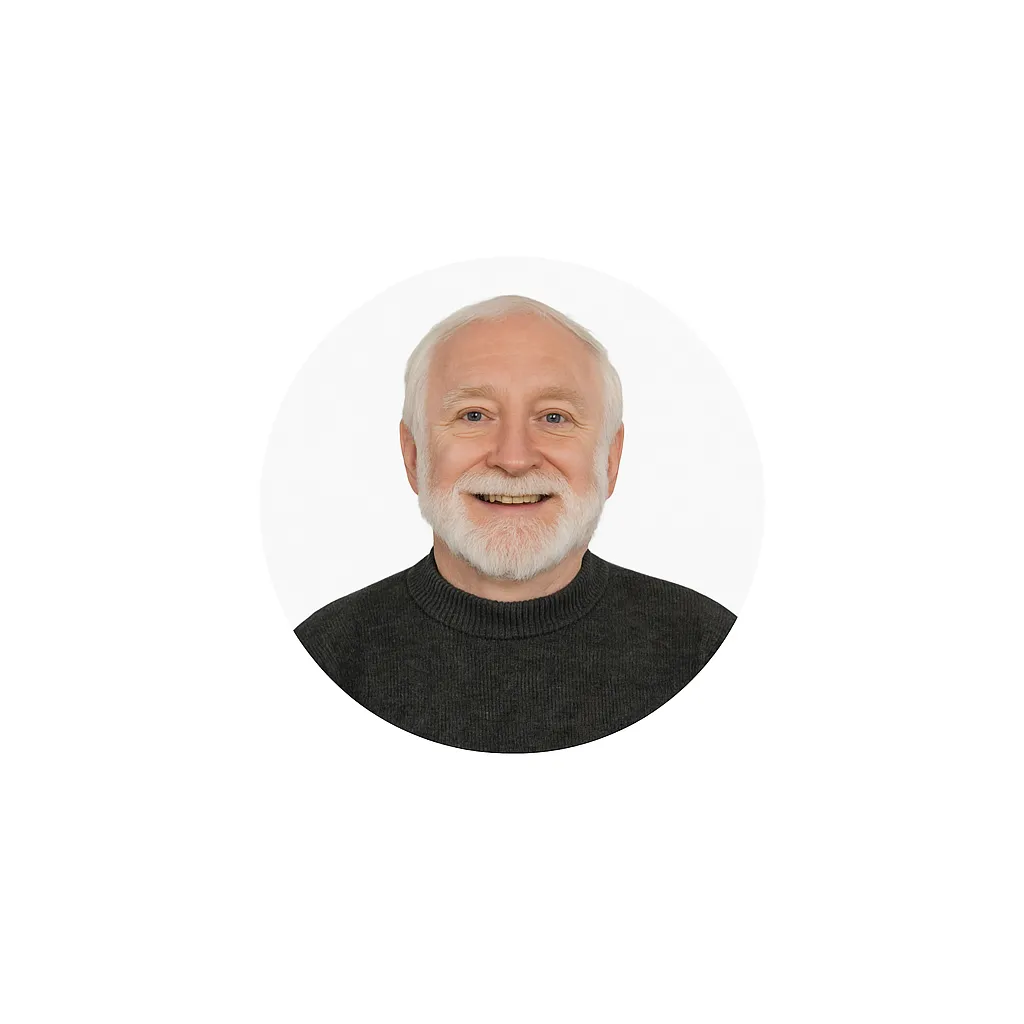
“From wasted ad spend to $50,000+ siding jobs with targeted local marketing!” — Mark T., Owner of a siding company
I’ve been in the siding and exterior remodeling business for over a decade, and I’ve tried all kinds of advertising — Google Ads, Facebook Ads, mailers, and even local directories. Most of it didn’t work, or it was run by people who didn’t really understand contracting or lead generation for home service businesses. Then I found Sizzlin’ Fried Ads.
Right away, I could tell they were different — honest, upfront, and actually invested their time and skills in helping me grow my contracting business. They didn’t just throw up some ads and call it a day. They built a complete marketing strategy with geo-targeted campaigns and ad funnels around the kind of siding jobs I wanted — and within the first month, I started getting high-quality local leads in my area.
The best part? I’ve closed multiple siding and exterior projects worth $50,000 to $70,000 from campaigns that only cost me a few hundred bucks in lead generation. That kind of ROI speaks for itself.
If you’re a contractor, roofer, or home service business owner who’s tired of gambling on marketing that doesn’t pay off, this is the agency you want. Sizzlin’ Fried Ads delivers — and they do it with honesty, clarity, and real results you can measure.
Built For Service Business Owners Like You
We work exclusively with local service businesses — the owners and operators who do the actual work and need their phones ringing consistently. If you’re in any of these industries, we already know your pain points and have systems built for your trade:
Roofers & Roofing Contractors
HVAC Companies
Plumbers & Plumbing Services
Painters (Interior & Exterior)
Landscapers & Lawn Care Companies
General Contractors & Home Remodelers
Electricians
Lawyers & Law Firms
Accountants & CPAs
Dentists & Dental Offices
Masons & Siding Contractors
Home Service Businesses of All Kinds
Chiropractors
Questions Service Business Owners Ask Us
Straight answers to the things we hear most. If yours isn’t here, book a free call.
What happens when I miss a call from a potential customer?
When you miss a call, that customer almost always moves on to the next business on the list. Research shows 78% of customers hire whoever responds first — not the best, not the cheapest, just the first. After 5 minutes, the chance of converting a new lead drops by over 80%. An AI receptionist answers every call in under 2 seconds, qualifies the caller, and books them directly into your calendar — so you never lose a job to a missed call again, even at 2am or on a Saturday.
How do I get my business to show up when someone searches near me?
To appear in local Google searches and on Google Maps, your business needs: a fully optimized Google Business Profile (GBP), consistent name, address, and phone data across the web, location-specific content on your website, a steady stream of genuine customer reviews, and schema markup that tells Google exactly what you do and where you serve. Sizzlin’ Fried Ads handles all of this, combining Local SEO, GBP Optimization, and AEO so you show up everywhere your customers are looking — whether they’re typing, tapping, or asking a voice assistant.
What is an AI receptionist and how does it work for a service business?
An AI receptionist is a 24/7 voice agent that answers your business phone calls automatically, follows a custom script you approve, qualifies callers, answers common questions, and books appointments directly into your calendar — without any staff involvement. It connects to your existing phone number through call forwarding. After every call, you receive a full summary with transcript and disposition. For roofers, HVAC companies, plumbers, lawyers, and other service businesses, it means no missed calls, no lost leads, and no after-hours coverage gaps.
What is AEO (Answer Engine Optimization) and why does my business need it?
AEO, or Answer Engine Optimization, is the practice of structuring your website content so AI-powered search engines — like Google’s AI Overviews, ChatGPT, Perplexity, and voice assistants — can find, understand, and cite your business as the answer to a customer’s question. Traditional SEO gets you ranked on a results page. AEO gets your business spoken aloud as the answer, or featured at the top of an AI-generated response. For local service businesses, this means being the name ChatGPT or Google recommends when someone asks who is the best roofer near me.
Can AI help my business show up in voice searches on Siri, Alexa, and Google Assistant?
Yes. Voice search optimization is a core part of our AEO service. We structure your website content so voice assistants like Siri, Alexa, Google Assistant, and AI tools like ChatGPT and Perplexity understand and recommend your business. This involves writing clear question-and-answer content in natural spoken language, adding structured data schema markup, ensuring your Google Business Profile is complete and accurate, and making sure your business information is consistent across the web. Service businesses with voice-optimized content are significantly more likely to be the answer a voice assistant reads aloud.
How do I get more Google reviews for my service business automatically?
Our Review Flywheel system automatically sends review requests to your customers by text or email immediately after a job is completed. When a customer leaves a review, our AI writes a personalized response on your behalf. If a negative review comes in, you’re alerted immediately so you can respond. Consistently collecting 5-star reviews improves your Google Maps ranking, builds trust with prospective customers, and signals to Google that your business is active and reputable — all of which drives more inbound calls without spending anything on ads.
What is Google Business Profile optimization and why does it matter?
Your Google Business Profile is the listing that appears on Google Maps and in the local pack when someone searches for your type of business. An incomplete or poorly optimized GBP means lower rankings, fewer clicks, and less trust from potential customers. We optimize every element of your GBP — categories, services, description, photos, Q&A, posts, and NAP consistency — so Google understands exactly what you do, where you serve, and why customers choose you. A fully optimized GBP is one of the fastest and highest-ROI improvements a service business can make in local search.
How do I get more leads for my roofing, HVAC, or home service business?
The most reliable system for consistent leads combines: an AI receptionist to capture every inbound call; Local SEO, AEO, and GBP optimization to be found by new customers; a smart website to convert visitors into calls; automated review collection to build social proof; and database reactivation campaigns to convert past customers and old leads. Sizzlin’ Fried Ads builds all of these as a connected system so leads don’t fall through the cracks at any stage.
How do I get more leads for my roofing, HVAC, or home service business?
The most reliable system for consistent leads combines: an AI receptionist to capture every inbound call; Local SEO, AEO, and GBP optimization to be found by new customers; a smart website to convert visitors into calls; automated review collection to build social proof; and database reactivation campaigns to convert past customers and old leads. Sizzlin’ Fried Ads builds all of these as a connected system so leads don’t fall through the cracks at any stage.
What is database reactivation and how can it get me more jobs?
Database reactivation is the process of re-engaging past customers and old leads who already know your business but haven’t booked in a while. Most service businesses are sitting on hundreds of these contacts — people who liked your work, got a quote, or inquired but never converted. Our reactivation system sends personalized text, email, and voicemail outreach to reconnect with them and convert them into booked jobs, without any new ad spend. For a roofer, plumber, or HVAC company, a single reactivated customer can represent $3,000–$15,000 in revenue from a contact you already had.
Do I need a new website to get more leads, or can my existing one work?
It depends on what’s currently on your site and how it’s performing. If your website is generating calls, we can often improve conversion rate by adding AI chatbot integration, stronger CTAs, lead capture, and SEO structure without rebuilding from scratch. We can also deploy standalone landing pages that sit alongside your existing site. However, if your website isn’t generating leads at all, a smart website rebuild is usually the fastest path to results — because a well-built site becomes the foundation that all your other marketing drives traffic to.
Do I need to run ads to get leads, or are there other options?
You don’t always need ads to get leads. Many service businesses generate consistent inbound calls through Local SEO, GBP optimization, AEO, review management, and database reactivation alone — without spending on advertising. We’ll be honest with you in our strategy call about whether ads make sense for your business at this stage. If your organic systems aren’t built yet, running ads to a website that doesn’t convert is like pouring water into a leaky bucket. We fix the bucket first.
Which is better for my service business — Google Ads or Facebook Ads?
They serve different roles. Google Ads capture high-intent traffic — people who are actively searching right now for your service. Facebook and Instagram Ads create demand — they reach people who aren’t searching yet but fit your ideal customer profile. For most service businesses, Google Ads generate faster results because the intent is already there. Facebook Ads work well for retargeting past visitors, building brand awareness, and reaching homeowners in specific neighborhoods. Many businesses benefit from a combination, but neither works well if your website doesn’t convert and your phone isn’t answered — which is why we always address those systems first.
Why should I choose Sizzlin’ Fried Ads over a general marketing agency?
Most marketing agencies serve everyone — e-commerce brands, restaurants, tech startups, and service businesses all get the same generic strategy. Sizzlin’ Fried Ads works exclusively with service business owners. We understand what it means to be on a job site and miss a call. We know the difference between a roofing lead and a plumbing lead and what it takes to convert each one. You get a strategy built around your specific trade, your local market, and your goals — and you work directly with Julia, not a rotating team of junior account managers.
Who is Sizzlin’ Fried Ads and who do you work with?
Sizzlin’ Fried Ads is a digital marketing and AI automation agency founded by Julia Thomas and based in Colorado Springs, Colorado. We work exclusively with service-based businesses — roofers, HVAC companies, plumbers, painters, landscapers, lawyers, accountants, dentists, general contractors, and other local service providers — across the U.S. and Canada. Our focus is building automated lead generation systems that combine AI receptionist technology, Local SEO, AEO, GBP optimization, smart websites, review management, and database reactivation to help service business owners get consistent leads and stop losing jobs to competitors.
Got more questions? Visit our Frequently Asked Questions
Ready to Stop Losing Jobs to Whoever Got There First?
Disclaimer: if there is no marketing funnel, there may be an associated cost with fixing/building the funnel, so we can send traffic to it. If there is no product to market data, a set up fee may apply. If you qualify for our performance-based program —
AI Chat / Lead Nurturing Automations
What Is AI Chat and How It Helps Service Businesses Convert Website Visitors
AI Chat vs. Live Chat: Which Converts More Local Homeowners?
How AI Chat Can Qualify Leads in 8 Seconds
Why Most Business Websites Do Not Convert (And How AI Fixes It)
Automated Review Request Systems
Google Business Profile Review Strategy
How Reviews Impact Local SEO
Handling Negative Reviews Professionally
Answer Engine Optimization (AEO): The Complete Guide for Local Businesses
What is Answer Engine Optimization (AEO)?
How to Create Content That Ranks in AI Answers
Technical SEO for AEO: Schema, Structure & Indexing
Local AEO: How to Rank in “Near Me” AI Searches
How AEO Drives Leads (Not Just Traffic)
Phone: +1 888-898-3151
[email protected]
We are located in Colorado Springs, CO, but proudly serve the USA & Canada.
Home
AI Receptionist Setup & Launch
AI Receptionist Pricing & Cost
AI Receptionist vs Answering Services
AI Receptionist for Service Industries
AI Receptionist Features & Capabilities
AI Receptionist for Service Businesses
Missed Call Recovery
AI Receptionist Setup & Launch
AI Receptionist Pricing & Cost
AI Receptionist vs Answering Services
AI Receptionist for Service Businesses
Missed Call Recovery
AI Receptionist Setup & Launch
AI Receptionist Pricing & Cost
AI Receptionist vs Answering Services
Phone: +1 888-898-3151
[email protected]
We are located in Colorado Springs, CO, but proudly serve the USA & Canada.
Home


Copyright © 2015-2026 - Sizzlin' Fried Ads
Digital Marketing & AI Automation Services for Service Businesses — AI Receptionist, Local SEO, AEO, Review Management, GBP Optimization
Your Phone Should Be Ringing. Let's Fix That.
Choose the system your business is missing. Every service below is built specifically for service business owners — done for you, connected together, and optimized to generate jobs.
Sizzlin' Fried Ads builds done-for-you AI automation, local SEO, and lead generation systems for service businesses across the United States and Canada. Our services include AI receptionist, local SEO, AEO, Google Business Profile optimization, automated review management, smart websites, customer reactivation, and conversion copywriting.
AI Receptionist Setup & Launch
AI Receptionist Pricing & Cost
AI Receptionist vs Answering Services
AI Receptionist for Service Industries
AI Receptionist Features & Capabilities
AI Receptionist for Service Businesses
Missed Call Recovery
AI Receptionist Setup & Launch
AI Receptionist Pricing & Cost
AI Receptionist vs Answering Services
AI Receptionist for Service Businesses
Missed Call Recovery
AI Receptionist Setup & Launch
AI Receptionist Pricing & Cost
AI Receptionist vs Answering Services
Phone: +1 888-898-3151
[email protected]
We are located in Colorado Springs, CO, but proudly serve the USA & Canada.
Home
Automated Review Request Systems
Google Business Profile Review Strategy
How Reviews Impact Local SEO
Handling Negative Reviews Professionally
Answer Engine Optimization (AEO): The Complete Guide for Local Businesses
What is Answer Engine Optimization (AEO)?
How to Create Content That Ranks in AI Answers
Technical SEO for AEO: Schema, Structure & Indexing
Local AEO: How to Rank in “Near Me” AI Searches
How AEO Drives Leads (Not Just Traffic)
Phone: +1 888-898-3151
[email protected]
We are located in Colorado Springs, CO, but proudly serve the USA & Canada.
Home
This site is not a part of the Facebook™ website or Facebook™ Inc. Additionally, this site is NOT endorsed by Facebook™ in any way. Facebook™ is a trademark of Facebook™, Inc. DISCLAIMER: Any sales figures I stated above or stated on my Facebook™ page are my personal sales figures. Please understand my results are not typical, I’m not implying you’ll duplicate them (or do anything for that matter). I have the benefit of having owned my own business since 2015 and have learned what works over the years.
The average person who consumes or buys ‘how to’ info gets little to no results. I’m using these references for example purposes only. Your results will vary and depend on many factors …including but not limited to your background, experience, and work ethic. All business entails risk as well as massive and consistent effort and action. If you're not willing to accept that, please DO NOT OPT-IN to my workbooks OR book a strategy call.
AI Receptionist for Service Industries
An AI receptionist can transform how service businesses handle incoming calls and customer interactions—automating appointment scheduling, intake, lead qualification, and after-hours support while freeing staff to focus on higher-value work. Below are industry-specific resources to help you see practical applications and implementation tips:
- AI Receptionist for Dental Offices & Implants (After Hours)
- AI Receptionist for Plumbers
- AI Receptionist for HVAC Companies
- AI Receptionist for Roofers
- AI Receptionist for Law Firms
- AI Receptionist Privacy & Compliance for Law Firms
- What is an AI Receptionist?
- AI Receptionist for Service Businesses (Overview)
Copyright © 2015-2026 - Sizzlin' Fried Ads